IPv6をレジストリとコンパネで無効化する

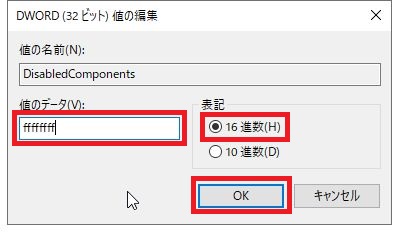
Windows Server 2019でIPv6をコントロールパネルとレジストリで無効化する手順。


コントロールパネルで無効化する手順

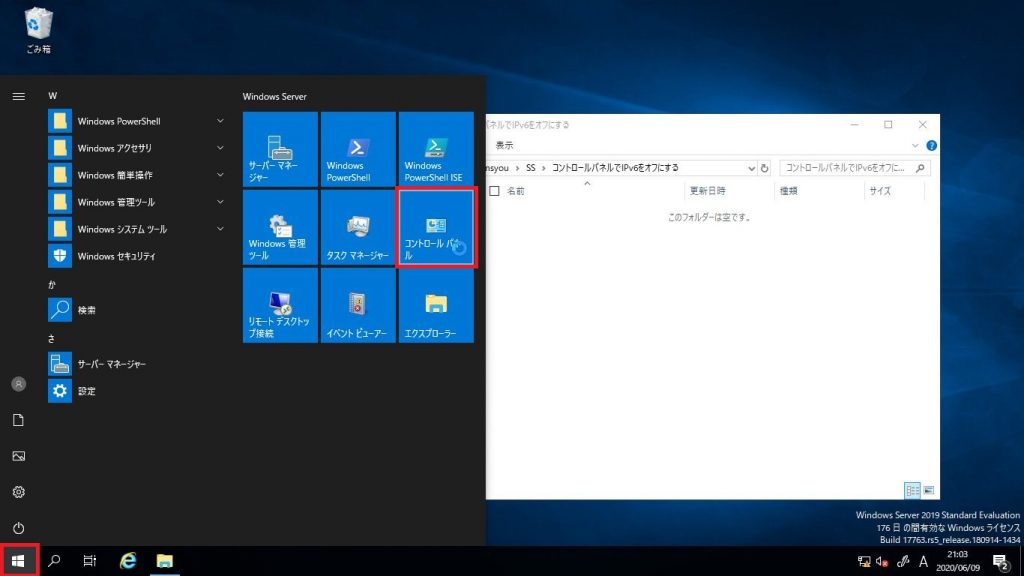
①「スタート」→「コントロールパネル」をクリック
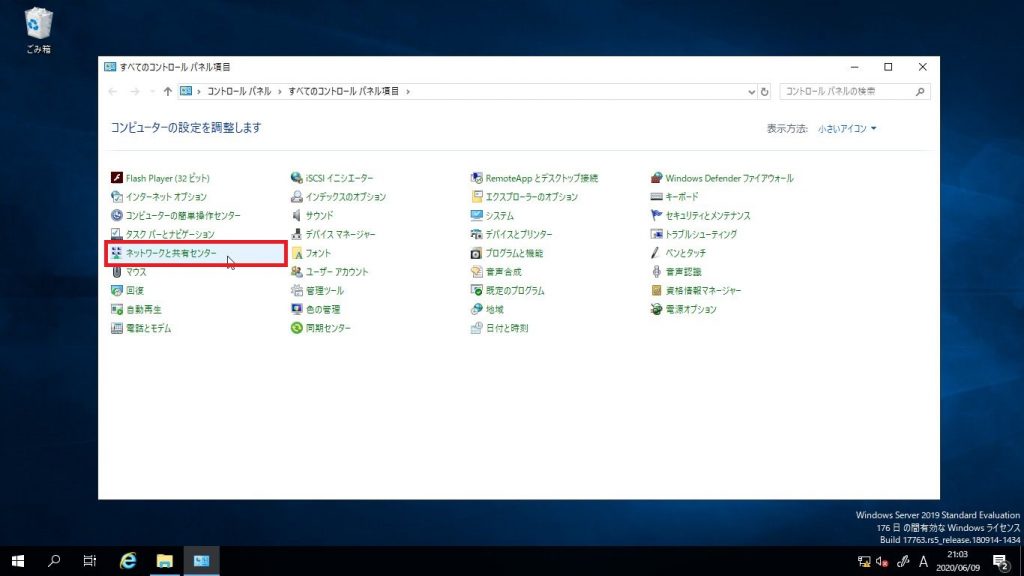
②「ネットワークと共有センター」をクリック
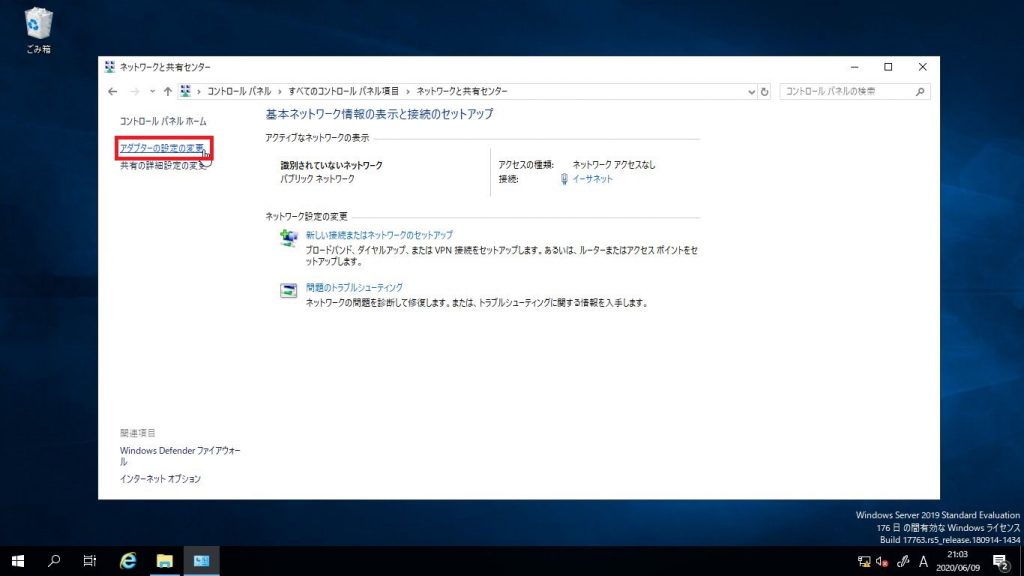
③「アダプターの設定の変更」をクリック
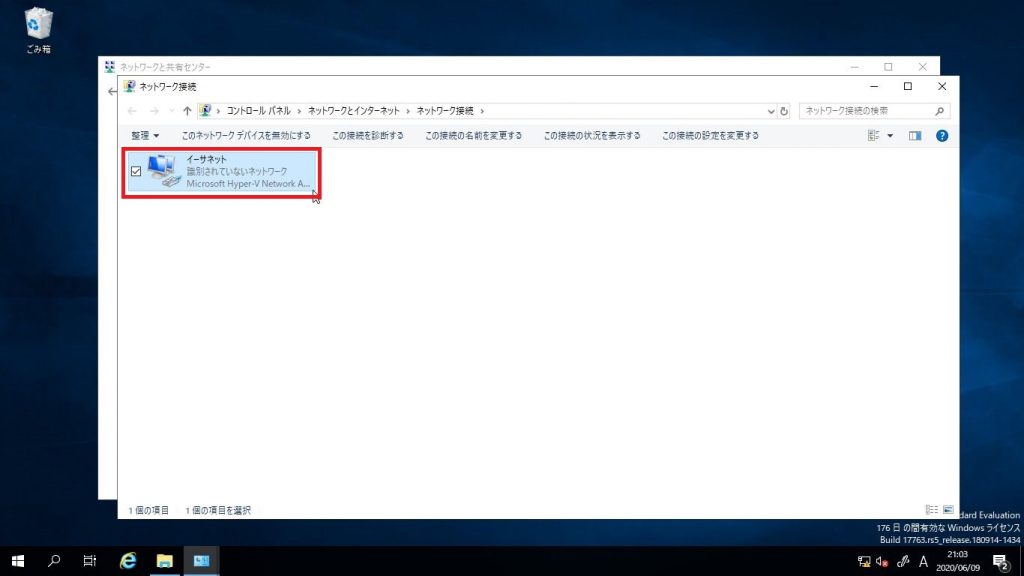
④「イーサネット」をダブルクリック
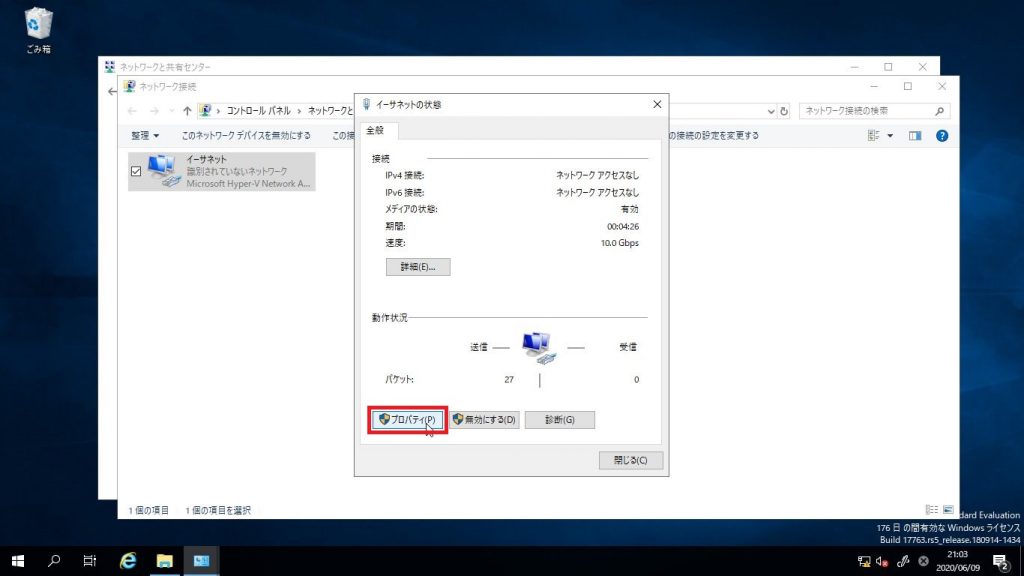
⑤「プロパティ」をクリック
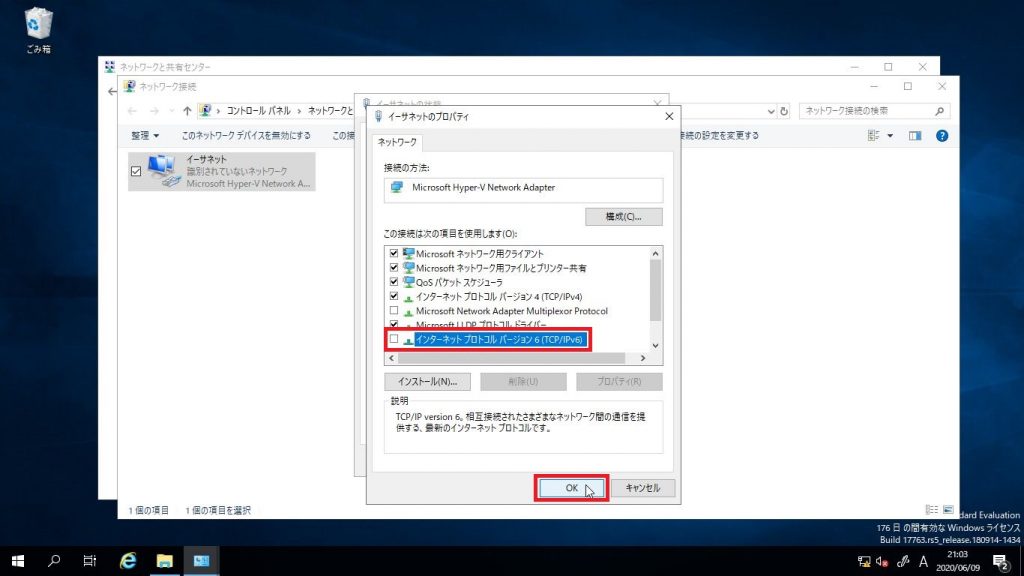
⑥「インターネットプロトコルバージョン6(TCP/IPv6)」のチェックを外しOK」をクリック

コントロールパネルからIPv6を無効化手順は以上です。
レジストリでIPv6を無効化する手順は次のページで書きます。

This website stores cookies on your computer. These cookies are used to provide a more personalized experience and to track your whereabouts around our website in compliance with the European General Data Protection Regulation. If you decide to to opt-out of any future tracking, a cookie will be setup in your browser to remember this choice for one year.

Accept or Deny

PAGE TOP